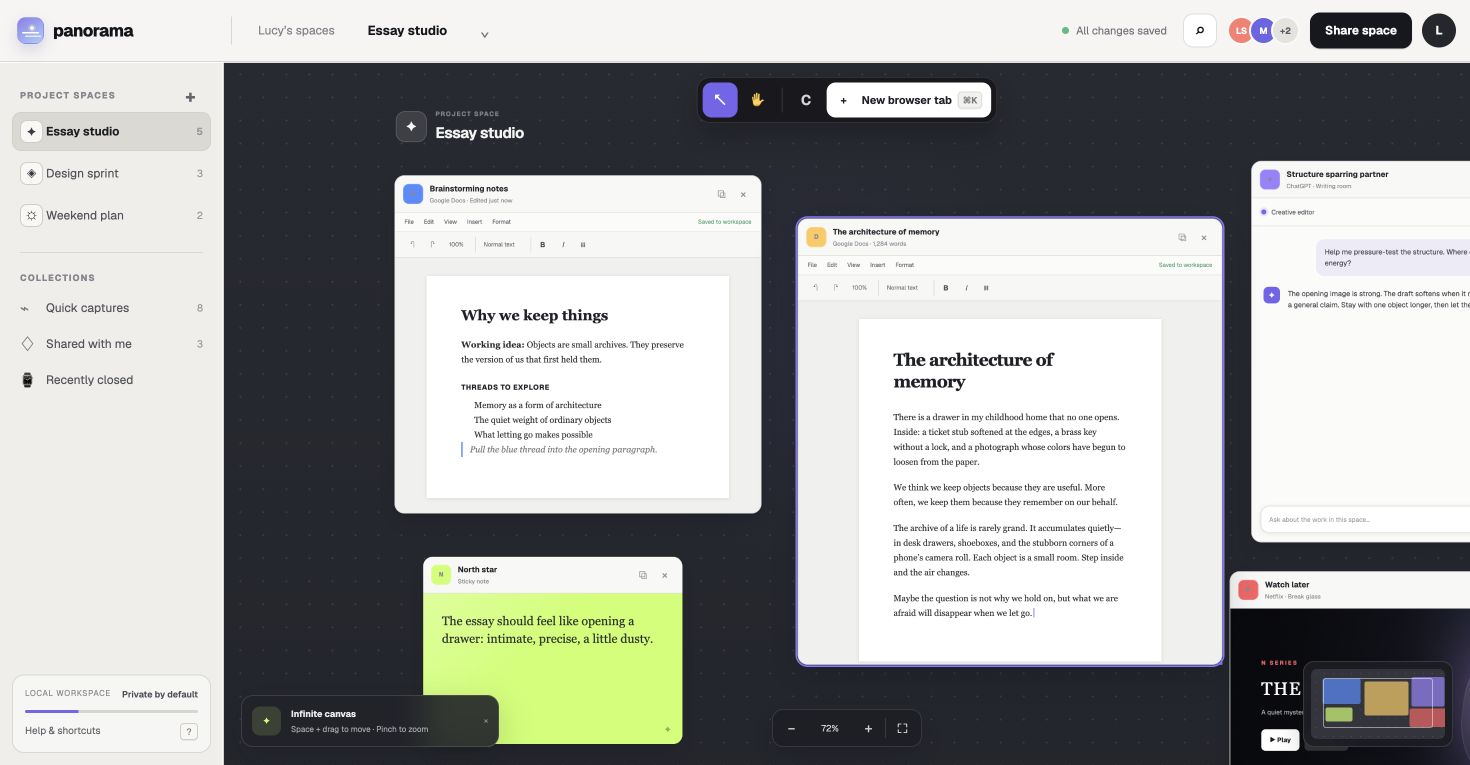
 ACTUAL INTERFACELive frames
Live browser frames
Open real pages—not screenshots—and keep browsing, writing, watching, and listening directly inside Panorama.
Panorama brings your live browser tabs onto one infinite canvas—so your documents, research, messages, music, and ideas can finally exist together.
$19 one-time · Early access · macOS 12 or later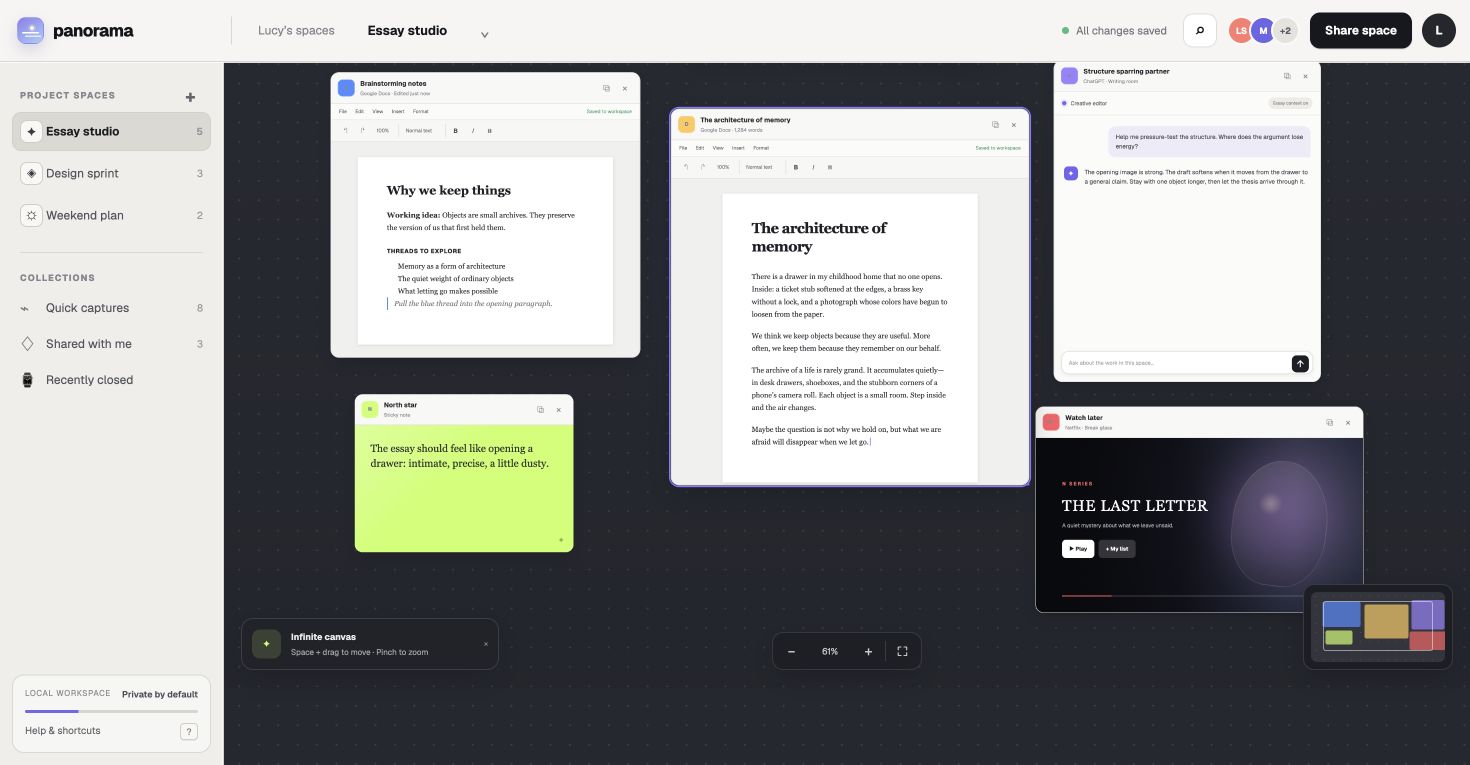
Your tabs were never meant to fit in a row.
Keep context in sight without squeezing your work into a stack of hidden tabs.
ACTUAL INTERFACELive framesOpen real pages—not screenshots—and keep browsing, writing, watching, and listening directly inside Panorama.
ACTUAL INTERFACEFit all · 61%Move freely in every direction. Zoom out for the full picture, then glide back into the page that needs you.
ACTUAL INTERFACESaved spacesGive every project its own layout. Your frames, positions, sizes, sessions, and ambiance are waiting when you return.
 Panorama Tab ImporterPanorama connected
Use the Panorama companion to bring the page you’re viewing directly into your current space.
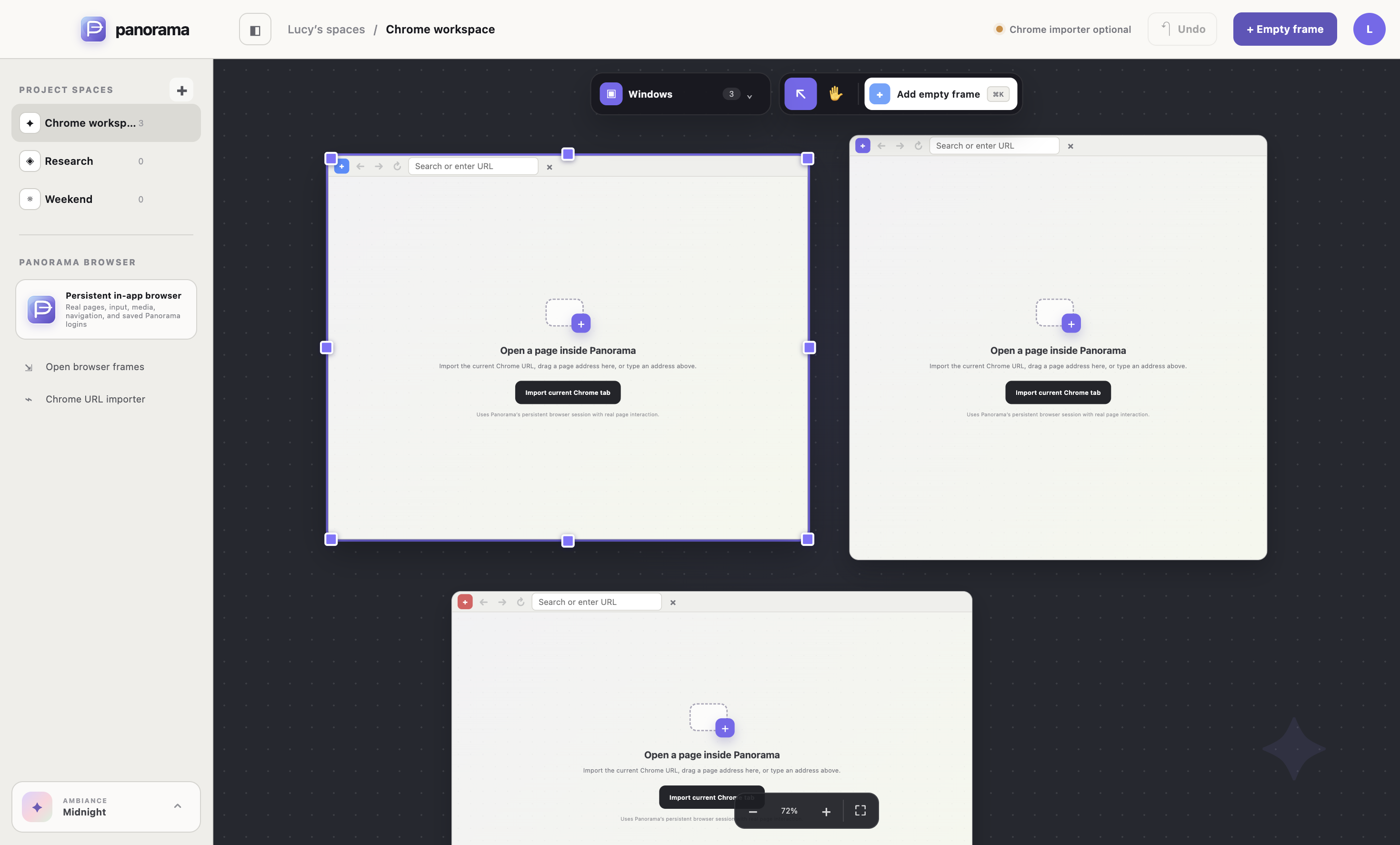 ACTUAL INTERFACEResize handles
Alignment guides, live measurements, and edge handles make clean layouts effortless.
ACTUAL INTERFACEWindows navigatorJump to any open window in a centered 100% view from the Navigator.
ACTUAL INTERFACEWorkspace historyStep backward through workspace changes until everything feels right again.
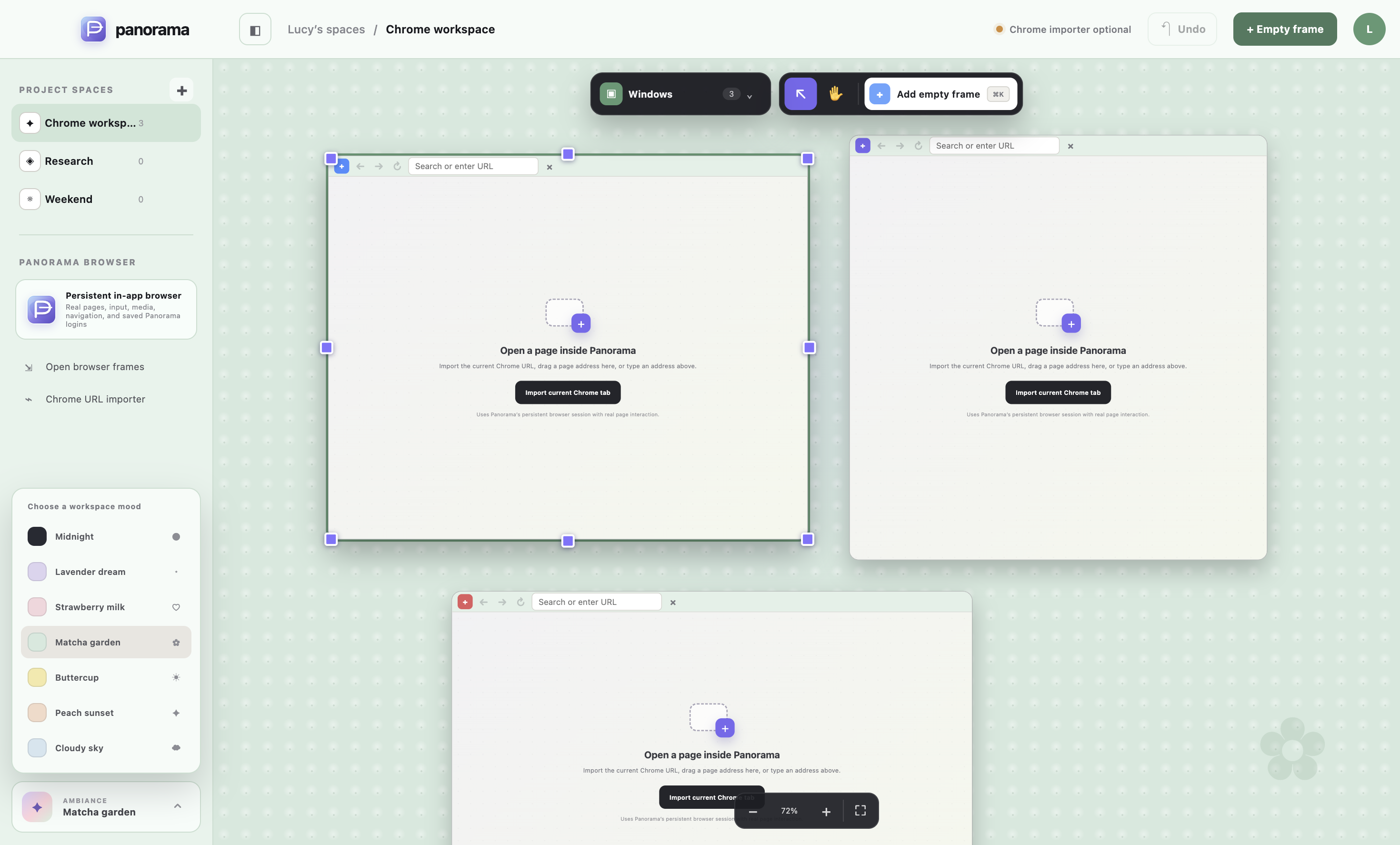
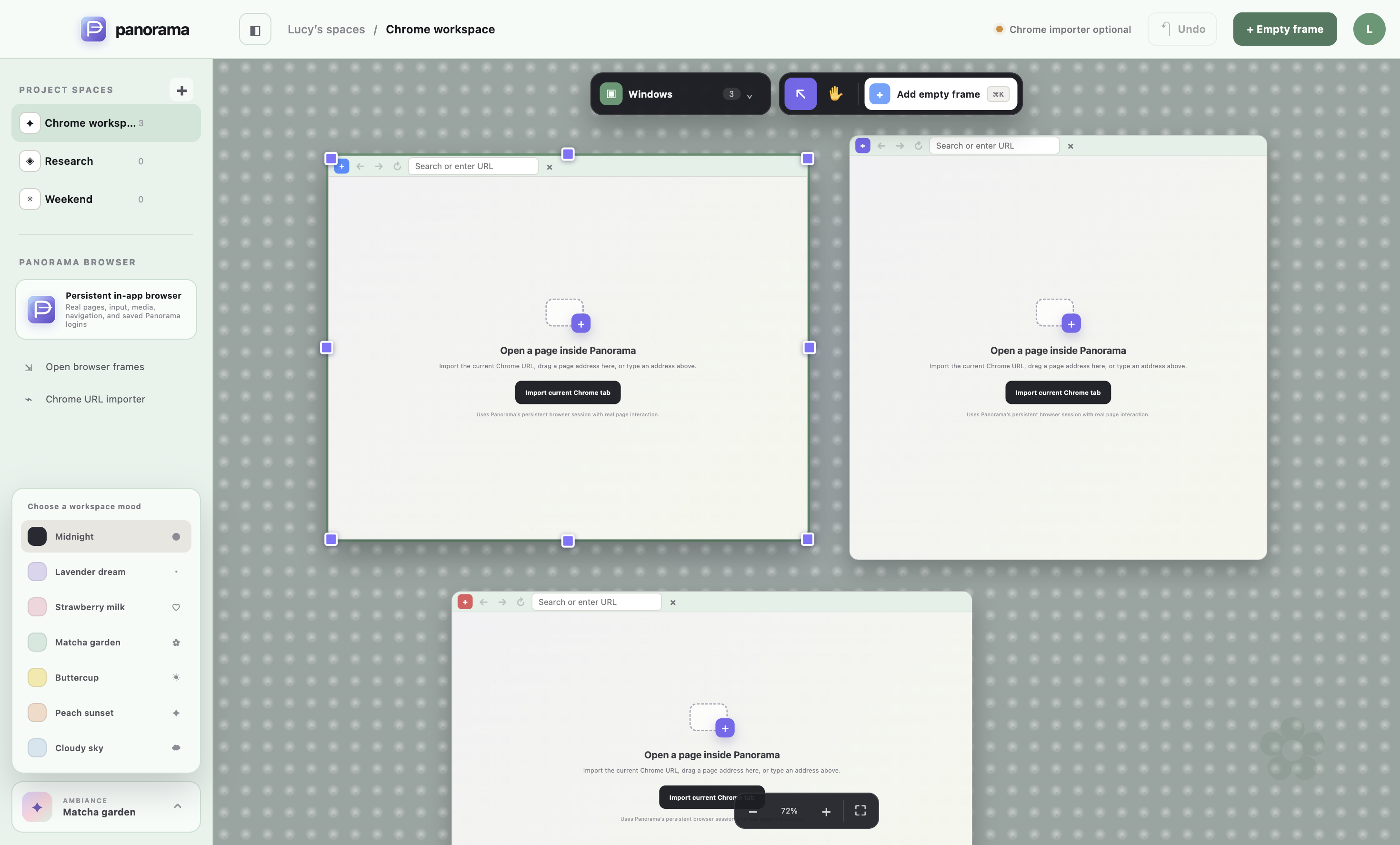 ACTUAL INTERFACEMatcha garden
Cloudy Sky, Matcha Garden, Buttercup, Strawberry Milk, Lavender Dream, and Peach Sunset recolor your entire workspace.
Panorama lets you move between detail and overview without losing your place. The whole workspace stays arranged exactly as you left it.
Editable documentLive ChatGPT frameCanvas zoom · 72%Select an ambiance to preview how it recolors the canvas, sidebar, controls, guides, and selection states—not just the wallpaper.
Matcha gardenA calm garden workspace with a mint canvas and floral details.
Purchase once and install the desktop app on your Mac.
Send any open tab straight into your canvas.
Arrange everything exactly where your mind expects it.
Install the desktop app, connect the Chrome companion, and send your first page into a space in minutes.
Early-access build for Mac. Because this preview is not yet notarized, macOS may ask you to confirm before opening it.Purchase once and install the desktop app on your Mac.
Send any open tab straight into your canvas.
Arrange everything exactly where your mind expects it.
About sign-ins. Panorama uses its own secure browser profile. Sign in once inside Panorama and supported sites can remember you on this device. Chrome does not transfer passwords or session cookies.
No. Panorama frames are interactive browser views you can click, type in, scroll, and navigate.
Panorama keeps a separate browser profile. Sign in once within Panorama and supported sites can keep that session, but Chrome cannot safely hand another app your passwords or cookies.
Most everyday sites work normally. A site can still apply its own sign-in, DRM, pop-up, or security restrictions.
It sends the address of your current page to Panorama, where the app opens it as an interactive frame.
Not yet. The early-access build currently supports macOS.
One purchase. Your spatial browser workspace for macOS.